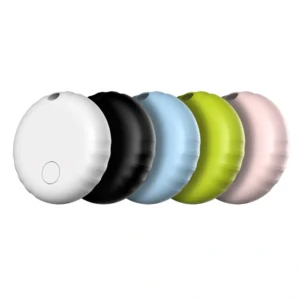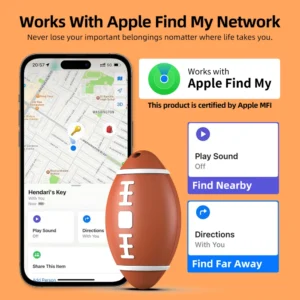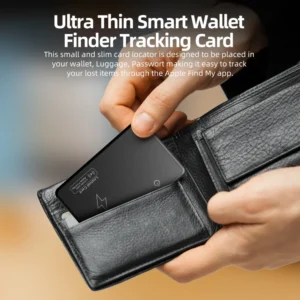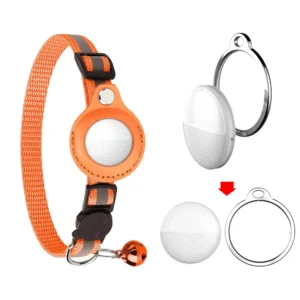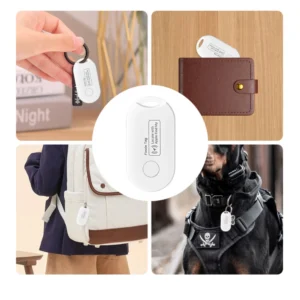
Smart tags are worth buying when you frequently misplace keys, bags, wallets or luggage and choose a tag that matches your phone’s finding ecosystem. They are inexpensive, compact and low-maintenance. They are not live GPS trackers, and they cannot guarantee recovery in every location.

What Is a Smart Tag?
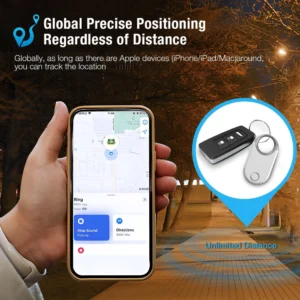
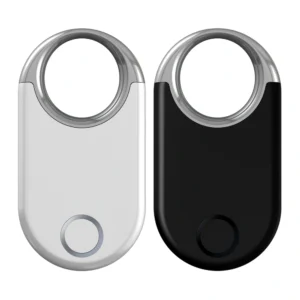
A smart tag is a small Bluetooth accessory attached to an item. When it is nearby, the owner can view its location in an app and usually make it play a sound. When it is farther away, a compatible crowdsourced network may detect the tag and securely relay a recent location.
The major ecosystems include Apple Find My, Google Find Hub, Samsung SmartThings Find and manufacturer-operated apps. A tag designed for one network normally cannot be managed as if it belonged to another network.
Smart Tag vs GPS Tracker
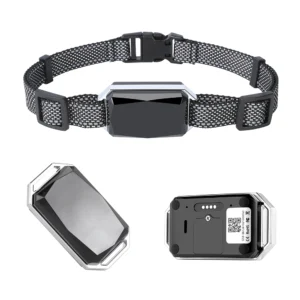
Smart tags use Bluetooth and crowdsourced networks for nearby or last-reported locations. GPS trackers can provide frequent remote updates but use more power and often require cellular service. For a detailed comparison, read Smart Tag vs GPS Tracker: What’s the Difference?
Five Reasons a Smart Tag Can Be Worth It
1. It saves time on everyday searches
Making a nearby tag ring is often the most valuable feature. It turns a search through drawers, bags and rooms into a quick audible check.
2. It provides a last-reported location
If an item is left at a café, office or airport, the app may show where the network last detected it. This can narrow the search even when the tag is no longer nearby.
3. It is small and low-maintenance
Bluetooth tags are easier to attach than most GPS trackers. Many use a replaceable coin cell; others are rechargeable.
When a Smart Tag Is Not Worth It
- You need continuous live tracking: use a GPS or telematics device instead.
- The item will be in a remote area: crowdsourced tags depend on participating phones passing nearby.
- The tag does not match the owner’s phone: ecosystem mismatch can remove the most important features.
- You expect theft prevention: tags can assist recovery, but they are not immobilizers, alarms or professional security systems.
- The attachment is poor: a valuable tracker can still fall off a pet collar, tool or luggage zipper.
- You are unwilling to maintain batteries: every tag eventually needs charging or a replacement cell.
Which Smart Tag Ecosystem Should You Choose?
For iPhone users
Choose a Find My compatible tag that supports the intended Apple features. Verify whether the product is officially certified for the Find My network and whether precision finding requires particular iPhone hardware.
For general Android users
Choose a Google Find Hub compatible tag and confirm the required Android version, region and phone features. Google’s official help identifies compatible tags as accessories that can be paired and managed in Find Hub.
For Samsung Galaxy users
Galaxy SmartTag2 uses SmartThings Find and requires a Samsung account and registration. Samsung lists IP67 resistance and nearby-finding features, but advanced directional functions depend on compatible Galaxy hardware.
Best Uses for Smart Tags
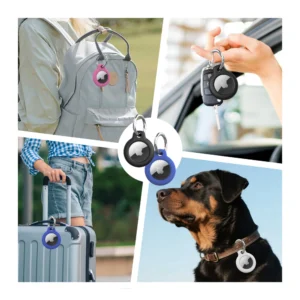
Smart tags work best for keys, wallets, backpacks and luggage. They can assist with pets, vehicles, tools and shared equipment, but they do not replace live pet GPS, vehicle telematics or professional asset management.
Seven Buying Criteria
- Ecosystem: verify Find My, Find Hub, SmartThings Find or the required app.
- Phone compatibility: check OS version, UWB support and regional availability.
- Sound: confirm that the buzzer is loud enough for bags and rooms.
- Battery: compare replaceable versus rechargeable designs and low-battery alerts.
- Durability: check the IP rating, temperature range and attachment point.
- Privacy: review unknown-tracker alerts, encryption, account deletion and data retention.
- Total cost: include holders, batteries, subscriptions and replacements.
Privacy and Safety Limitations
Tracker networks include protections intended to warn people about unwanted tracking. Google states that Android unknown-tracker alerts currently work with Find Hub compatible tags and Apple AirTags. Owners should use tags only for lawful item tracking and follow platform terms.
Coin-cell batteries are hazardous if swallowed. Apple’s support documentation warns that ingestion can cause severe injury and instructs owners to keep new and used batteries away from children. Buyers should inspect battery covers and follow the manufacturer’s safety instructions.
B2B Checklist for Retailers and Private-Label Buyers
- Obtain evidence of platform certification and destination-market availability.
- Confirm whether the same hardware supports one ecosystem or multiple configurable versions.
- Test pairing, reset, sharing and lost-mode flows on target phones.
- Verify battery model, test documents, transport requirements and warning labels.
- Check FCC, CE, RoHS, REACH or other applicable compliance evidence.
- Review firmware ownership, update responsibility and app support lifetime.
- Define OEM logo, color, packaging, manuals, MOQ, warranty and failure handling.
- Use a pilot batch before a large order.
FAQ
Do smart tags have monthly fees?
Many major Bluetooth-network tags do not charge a monthly fee for basic finding. App-based services or GPS trackers may charge for advanced features, cellular data or platform access.
How long does a smart tag battery last?
It varies by model, sound use, network activity and temperature. Use manufacturer test conditions as a guide and maintain a replacement schedule.
Final Verdict
A smart tag is worth it for frequently misplaced personal items when the network matches your phone. It is less suitable for continuous tracking, remote wilderness use or professional fleet security. Buy for the real problem you need to solve, not for an unrealistic promise of guaranteed recovery.
Explore more practical advice in our Smart Tags Knowledge Center and Android Smart Tag Knowledge Center.
Official references: Apple AirTag battery support, Google Find Hub tag help, and Samsung Galaxy SmartTag2.