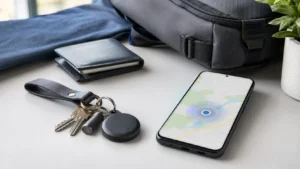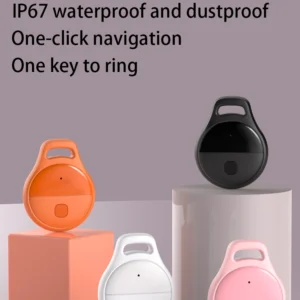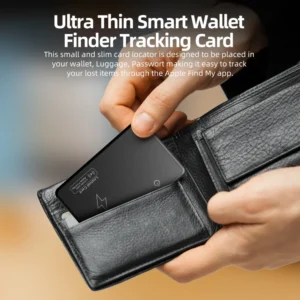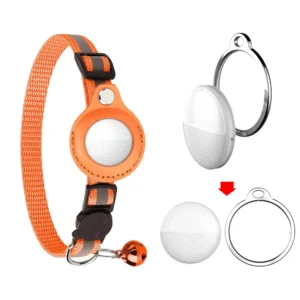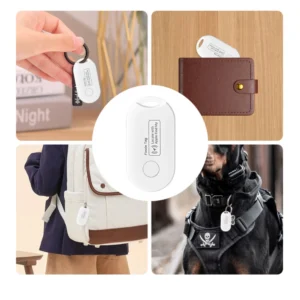
Bluetooth tracker tags can help recover keys, luggage and other belongings, but the same small size and crowdsourced location networks can be misused to follow people without consent. Privacy and anti-stalking protections are therefore core product requirements, not optional marketing features.

This guide explains how modern unwanted-tracker alerts work, what users should do after an alert and what brands should validate before selling a Bluetooth location tag.
Two Different Privacy Questions
1. Can Other People See the Owner’s Location?
A crowdsourced finding network should protect the owner and the nearby detecting device. Nearby phones contribute detection information through the selected ecosystem; they do not become owners of the tag or receive the owner’s complete map history.
2. Can a Tag Be Used to Follow Someone?
A tag hidden in a bag, vehicle or clothing could move with a person who does not know it is present. Anti-stalking systems look for patterns consistent with an unknown tracker traveling with someone over time and can show a warning on that person’s phone.
These protections reduce risk but do not make secret tracking acceptable. Use tags only for items you own or are authorized to manage.
Cross-Platform Unwanted Tracking Alerts
Apple and Google worked together on the Detecting Unwanted Location Trackers industry specification for Bluetooth location trackers. Apple describes support in iOS and Google provides unknown-tracker alerts on Android. The purpose is to warn a person even when the unknown tag was paired with the other platform.
An alert is a safety feature, not normal cross-platform ownership. An Android phone detecting an unknown AirTag does not mean that the Android user can manage that AirTag as the owner.
How an Unknown Tracker Alert Is Triggered
Exact detection logic is controlled by the platform and is not a simple “any tag nearby” alarm. The system considers whether an unfamiliar compatible tracker appears to move with the user over time and whether the owner is separated from it.
This design helps reduce constant warnings from tags that are briefly nearby on public transport, in an office or at an airport. No alert system can guarantee instant detection in every condition, so users should treat alerts as one layer of protection.
What to Do After an Alert
Review the alert’s time and route. If you feel at risk, move to a public place and contact a trusted person or local authorities. Use the available option to play a sound, search belongings and a vehicle carefully, preserve relevant evidence and follow the manufacturer’s instructions to disable the tag after it is found.
Turning off Bluetooth, Location or airplane mode on the user’s phone does not physically switch off the tracker. Depending on the platform, the alert may include a map, sound control, product details and disable instructions.
Legitimate Reasons for an Alert
An alert does not automatically prove malicious intent. Common explanations include borrowed luggage, shared car keys, a family item, a rental vehicle, a tag left by a previous owner or a colleague’s tagged equipment traveling together.
Resolve the ownership context without ignoring safety. Family and team deployments should use supported item-sharing features where available and document who owns each tag.
Privacy Features Buyers Should Expect
- Secure account binding and ownership transfer
- Protected Bluetooth identifiers and network data
- Cross-platform unwanted-tracker alerts where supported
- An audible sound and clear physical disable instructions
- Reset behavior that does not bypass ownership controls
- Responsible-use, privacy and security-update processes
Google describes Find Hub protections including encryption, aggregation and rate limiting. If a separate manufacturer cloud is used, review data retention, account deletion, access control and breach response. Lost mode helps the owner recover an item; an unwanted-tracker alert protects another person. A product must support both goals without advertising “silent” or undetectable tracking.
B2B Validation Plan
- Freeze the production chipset, firmware, enclosure and speaker as a golden sample.
- Pair the tag to an owner, separate it and move it with informed iOS and Android test users.
- Verify alert text, route, sound and physical disable instructions.
- Test account removal, reset and ownership transfer.
- Repeat after firmware or component changes.
- Review app permissions, privacy policy, data deletion and security response.
Packaging should explain intended use, supported networks, owner removal, reset, safety alerts and disable methods. Use controlled test property and informed participants—never secretly place a tag on someone.
Common Myths
“Turning Off Bluetooth Stops the Tracker”
It stops that phone from participating at that moment; it does not turn off the physical tag.
“An Alert Means the Owner Can Access My Phone”
No. It means an unfamiliar compatible tracker may be traveling with the user.
FAQ
Do both iPhone and Android warn about unknown trackers?
Both support alerts for compatible products, although coverage and interface depend on current software and the tracker model.
Are alerts a legal guarantee?
No. They are technical safety measures; consent, privacy and tracking laws still apply.
Final Recommendation
Choose Bluetooth tracker products that treat privacy and unwanted-tracking detection as core engineering requirements. Test cross-platform alerts, speaker behavior, ownership transfer, reset and disable instructions on production samples. A reliable tracker should help recover belongings without creating hidden risk for other people.
Continue learning in our Industry Knowledge Center.
Official references: Google unknown tracker alerts, Find Hub acceptable use policy and Apple and Google unwanted-tracking specification support.