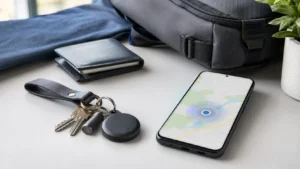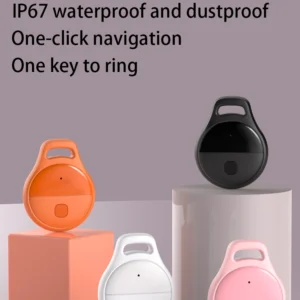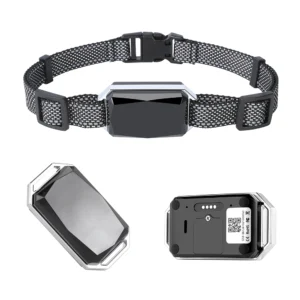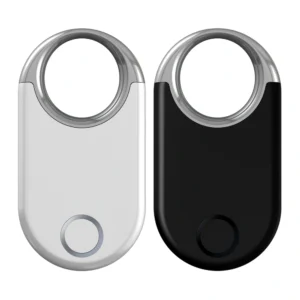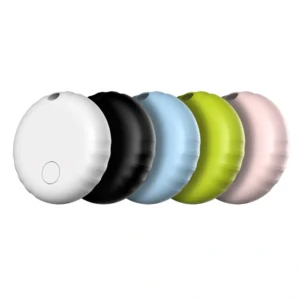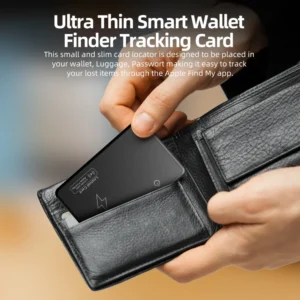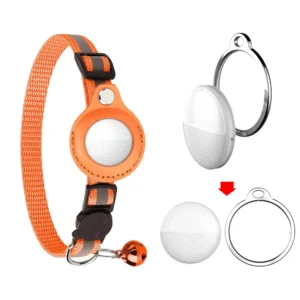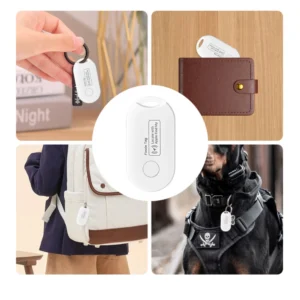
An Android tracker tag is a small wireless accessory that helps find keys, wallets, luggage or a bicycle. Most tags use Bluetooth Low Energy (BLE), a phone app and a nearby-device network rather than GPS or a SIM card.

The phrase “Android tag” is not one universal product standard. It can refer to a Google Find Hub compatible tag, a tracker that uses the manufacturer’s own Android app, or a cellular GPS device marketed loosely as a tag. Buyers should identify the exact technology before comparing price or range.
What Does an Android Tracker Tag Do?
A typical Android item tag can:
- Show whether the tag is nearby or out of Bluetooth range
- Play a sound to help find an item in the same area
- Display a recent or crowdsourced location in a supported app
- Provide signal-strength guidance during nearby recovery
- Offer UWB distance and direction on compatible models and phones
- Warn other users when an unknown tracker appears to move with them
Features depend on the exact tag, Android version, phone hardware, region and app. “Works with Android” alone does not guarantee all of these functions.
Four Product Types Commonly Called Android Tags
- Find Hub compatible tag: uses Google’s Android finding network.
- Manufacturer-app tag: uses the brand’s own Android or cross-platform app and network.
- UWB tag: adds precise nearby guidance when both tag and phone support it.
- Cellular GPS tracker: uses satellite positioning and its own data connection; it is a different product class.
A generic Bluetooth tag does not gain Find Hub access simply because it has an Android app. Verify the exact model, app and network.
How an Android Bluetooth Tag Works
Step 1: Pairing and Ownership
The owner powers on the tag and pairs it with a supported Android phone. Compatible Find Hub tags can use Fast Pair. The accessory becomes associated with the owner’s account or with the manufacturer’s app account.
Step 2: Low-Power Broadcasting
The tag sends short BLE identifiers. It normally does not know its own latitude and longitude. Battery life is possible because BLE transmission can use very little energy compared with continuous GPS and cellular reporting.
Step 3: Nearby or Network Detection
The owner’s phone can detect the tag directly at close range. When separated, another participating device may detect a compatible tag and contribute a location through the selected network. The result depends on nearby device density, radio conditions, privacy settings and internet connectivity.
Step 4: Recovery
The owner checks the latest map point and timestamp, approaches the area, then uses sound, Bluetooth guidance or supported UWB precision finding. A stale timestamp means the tag has not been detected recently; it does not prove the item is still at that point.
Does an Android Tag Have GPS?
Most small Android item tags do not contain a GNSS/GPS receiver. The map location is supplied by a phone that detected the Bluetooth signal. This design lowers cost and power consumption but makes the tag dependent on nearby participating devices.
If a project requires scheduled reporting, geofences, travel history or remote visibility in low-traffic areas, evaluate a cellular or satellite GPS tracker instead.
Does It Need a SIM Card or Subscription?
A normal BLE tracker tag usually needs neither a SIM nor a cellular plan. The nearby phone supplies network connectivity. A supplier may still charge for premium app features or cloud services, so review the commercial model.
A cellular GPS tracker normally needs its own connectivity and may have hardware, activation, data and platform fees.
Range, Setup and Battery
Bluetooth range is the distance for direct communication, not the total finding area. Walls, metal, luggage, antenna orientation, the human body and interference can reduce it. Outside direct range, a compatible network tag may still be detected by another participating device.
For setup, sign in to the intended Google Account, turn on Bluetooth, put the tag in pairing mode, accept the Fast Pair and Find Hub prompts, name the item and test sound and map status. If pairing fails, check power, software, the documented reset sequence and whether another owner still controls the tag.
Tags may use a replaceable coin cell, rechargeable battery or sealed cell. Compare runtime only when test conditions are stated; broadcast interval, sound use, temperature and firmware all affect it.
Privacy and Unknown Tracker Alerts
Android includes protections intended to warn a person if an unknown compatible tracker appears to be moving with them. Google’s current help lists Find Hub compatible tags, supported headphones and Apple AirTags among the trackers covered by unknown-tracker alerts.
Use item tags only for property you own or are authorized to manage. Google prohibits using Find Hub to track people or someone else’s property without knowledge and consent. A responsible supplier should provide clear disable instructions and should not weaken safety alerts.
Android Tag vs Apple AirTag
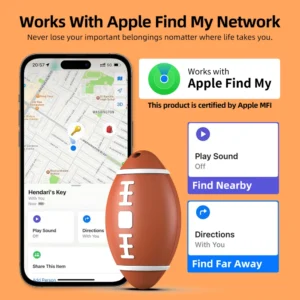
AirTag uses Apple’s Find My network; a Find Hub compatible tag uses Google’s Android finding network. Pairing, accounts and certification differ. Cross-platform unknown-tracker detection is a safety function, not proof that one owner can manage the same tag in both ecosystems.
What to Check Before Buying
- Exact app, network, supported phones and regions
- Battery type, sound, range and water resistance
- UWB support on both the tag and phone
- Account removal, reset and ownership transfer
- Unknown-tracker alerts and disable instructions
- Ongoing app, firmware and cloud support
B2B Procurement Checklist
Test production samples across representative Android phones. Record the chipset, firmware, antenna, enclosure and battery as a golden sample. Validate pairing, remote detection, sound, reset, ownership transfer, alerts and battery life. Review Bluetooth, radio and product-safety requirements in each target market, and require change control for component or firmware substitutions.
FAQ
Does an Android tag need internet?
Nearby Bluetooth sound may work without it, but map updates and crowdsourced recovery require connectivity somewhere in the workflow.
Can it track in real time?
Most BLE tags update when a participating device detects them. They are not guaranteed real-time trackers.
Final Recommendation
An Android tracker tag is best for recovering belongings with low power and little service cost. Define the network and recovery scenario, then verify compatibility, privacy, battery maintenance and real-world detection.
Explore more guides in our Android Smart Tag Knowledge Center.
Official references: Google Find Hub setup, unknown tracker alerts and Find Hub data protection.