AirTag and Android devices: Can they work together? (compatibility Resolution + feature boundaries + alternatives)
AirTag is Apple’s smart anti-drop device, which is deeply tied to the iOS ecosystem (iPhone/iPad/Mac) from hardware design to functional logic, and its core experience relies on Apple’s proprietary Find My system. But it doesn’t have a complete ‘no-touch’ with Android devices, and there are clear ‘functional boundaries’ that need to be considered in context. From“Core limitations” to“Android availability scenarios” to“Operational details” to“Alternatives,” here’s a rundown.

Core conclusion: AirTag’s“Tracking” feature is iOS-only and not Android-enabled
AirTag’s core value is“Actively tracking things,” and this ability rests entirely on the two pillars of Apple’s ecosystem, which Android devices are completely out of reach because of their OS, technology, and ecosystem isolation:
1. Rely on Apple’s proprietary Find My system
AirTag activation, binding, location viewing, history logging, both must be done via the find App on Apple devices (iPhone/iPad to iOS 14.5/iPadOS 14.5 and above, Macs to macOS 11.3 and above) and must be bundled with an Apple ID
There is no ‘find’ App for Android, and there is no way to associate an AirTag with a Google account or any Android ecosystem account-an inactive AirTag will only show up as an ‘unknown Bluetooth device’ on Android.

2. Relying on Apple’s proprietary technology and network
Precision Search (UWB) : only the iPhone 11 and above support UWB, which pinpoints airtags with an“Arrow + range” display, because Apple doesn’t have an open license, it can’t work with airtags.
Find My crowdsourcing network: AirTag itself isn’t connected to the Internet, and location updates are uploaded anonymously to the apple cloud via“Bluetooth signals from nearby Apple devices”; even iOS users can’t locate if there’s no Apple device in the area, android doesn’t have a remedy.
In a nutshell: if you only have an Android phone, you can’t“Airtag your keys and your backpack” like an iPhone user.
“Limited features” available on Android: only for“Security” and“Help return”
To prevent airtags from being used for malicious tracking, and to make it easier for non-apple users to return lost items, apple has opened up two“Passive features” to Android that require certain conditions:
1. Protect against unknown AirTag tracking with the“Tracker Detect” App (core security features)
This is the most useful interaction between Android and AirTag, Apple’s official Android app (available for free in the Google Play Store) , whose core purpose is“Anti-tracking”.
Key messages:
System requirements: Android 8.0(Oreo) or higher required
Key features:
Active scanning: manually click the“Scan” button in the App to search for“Airtags that are separated from their owners” or apple“Find” eco-gadgets (e.g. AirPods Pro 2) within 10 meters
Trigger alerts: If an unknown AirTag has been on your Android device for more than 10-15 minutes, some Android 12 + models will display system notifications (without opening the App)
Location and deactivation: once you’ve found an unknown AirTag, you can use the App to let it play“Beep”(20 seconds) to help you find it. Open the AirTag battery cover (screw off the white back cover) and remove the CR2032 battery, it can be deactivated completely.
Note:
The App can’t view AirTag’s location logs, only“Discover” and“Process” devices that are already following;
If the AIRTAG isn’t separated from the owner (if the owner is nearby) , the App can’t detect it.
2. Read the“Lost mode” AirTag with NFC (to help return it)
If someone’s AirTag is Lost and the owner has turned on“Lost Mode” on the Apple device, you can use your Android phone to contact the owner via NFC.
Steps and conditions:
Hardware Requirements: Android phones must support NFC (available on most models after 2018 and can be turned on in settings-connect & Share) ;
How to use it: press the NFC area (usually in the upper middle of your back) against the white front of the AirTag (≤1 cm) . The system will pop up a notification without unlocking the phone
Display Content: Click on the notification to jump to Apple’s official website, if the owner has set the contact information (phone/email) , will be directly displayed; if not, only“This AirTag has been marked as lost”, no other information.
Note:
Airtags without“Lost mode” are scanned with Android NFC to show only“Unknown NFC tags” and can not read anything;
After scanning, you can’t change or turn off the AIRTAG’s lost mode, only your contact information.
The best solution for Android users: select the“Native Android ecosystem” anti-lost device
Since AirTag doesn’t offer the full experience on Android, if you need trackers with similar features, consider some alternatives designed specifically for Android. These devices are deeply Android-compatible, don’t rely on the apple ecosystem, and offer the same“Active tracking” experience as AirTag does on iOS.

Go for“Google Find My Device” first
Google has launched its own“Find My Device” network, its logic is highly similar to Apple’s“Find My” network: it aims to harness the billions of Android devices (Android 9.0 and above) around the world to form a“Crowdsourced location network”-when your tracker is lost, a nearby Android device will anonymously receive its Bluetooth signal, encrypt its location, upload it to the Google Cloud, and finally sync it to your phone.
The network is system-level integration, does not need to reside in high-power background, and privacy protection mechanism and Apple, will not reveal the location of users’ privacy. A number of third-party accessory manufacturers have launched Bluetooth trackers that support the network, and some brands have been officially certified by Google to ensure better compatibility.
The App is similar to Apple’s“Find My” App in that it adds multiple third-party-verified smart tags, lets you see your location in real time, lets the tracker speak remotely, and marks“Lost modes”, the logic is similar to the AIRTAG experience.

Noteworthy Android adaptor anti-drop recommendations
| Product name | Core Strengths | FIT requirements | Reference characteristics (2024) |
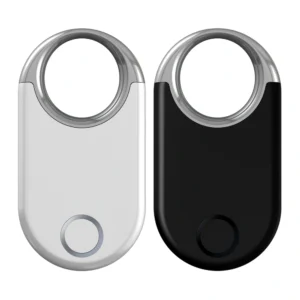
| Samsung Galaxy Smarttag 2 | Support for Ultra Precision Search (Samsung S21 and above only) | Prior to Samsung phones (Android 12 +) , other Android 9 + support for basic positioning | 700-day battery life, IP67 waterproof, remote voice |
| Chipolo One Spot | Cost-effective, all-Android brand compatibility | Android 9 + (Google Find My) | 12 months battery life, IP67 waterproof, replaceable battery |
| Pebblebee Clip | Google-certified, dust-and water-resistant | Android 9 + (Google Find My) | 6 months battery life, IP68 waterproof, metal |
| Motorola Moto Tag | The brand is natively optimized and easy to use | Android 10 + (Motorola’s best) | 9-month battery life, IP54 dust and water proof, one-button search |
| Tile Mate (2023) | Cross-platform compatibility (Android/iOS) | Android 8 + | 3-year battery life, IP67 waterproof, GPS network |
One sentence summary
To“Airtag your stuff” you have to use iPhone/iPad/MAC, not Android
Android users can only do two things with AirTag → : track using“Tracker Detect” and return a lost AirTag to someone else using NFC
Android wants anti-drop devices → Native adaptations like Samsung SmartTag2, Chipolo (Google Find My) , or other anti-drop devices supported by Google Find My device are the real solution.
The AirTag is an apple ecosystem“Add-on,” and Android users don’t have to struggle-choosing the right product for their ecosystem is the only way to get the full smart anti-loss experience.